
How to Track Macros: Match the Food, Weigh the Portion, Log the Grams
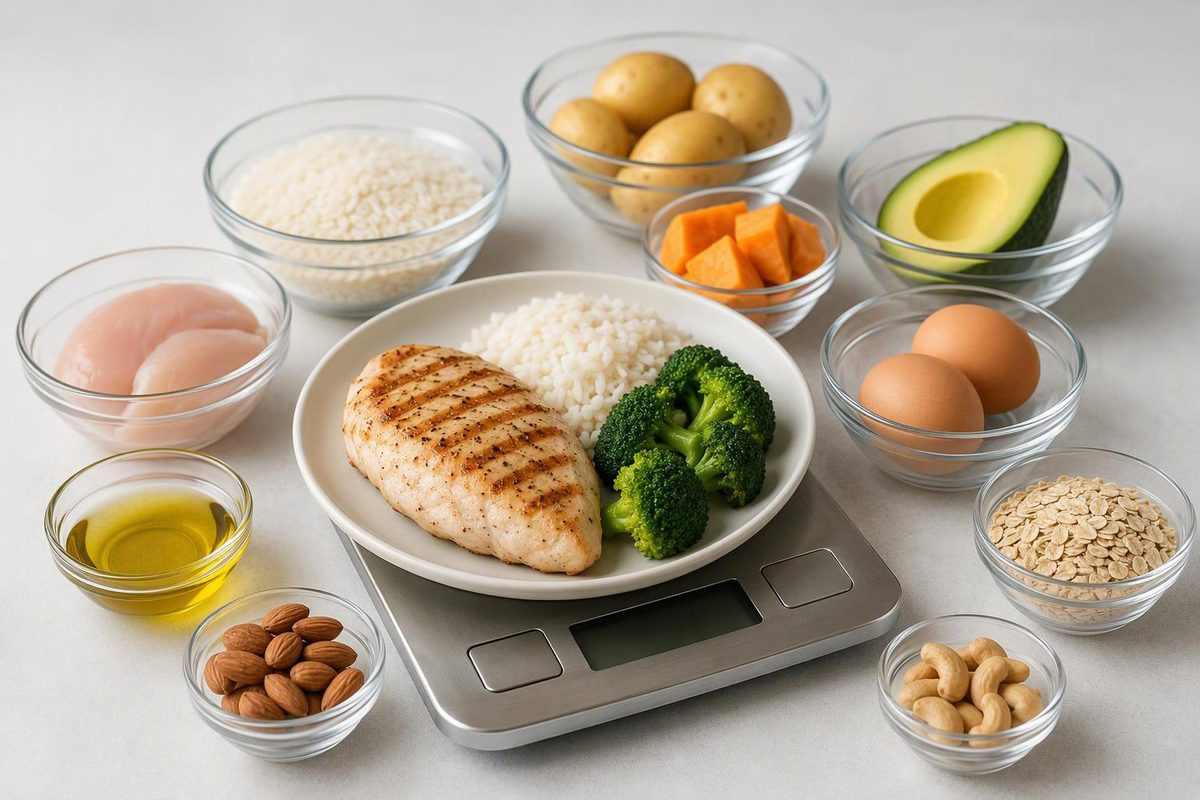
Learn how to track protein, carbs and fat using labels, weighed portions and recipe totals—and avoid raw/cooked mismatches and double-counting.
To track macros, record the protein, total carbohydrate and total fat in the portion you actually eat, then add those grams across the day. An app can do the arithmetic, but a spreadsheet or notebook works too. The key is matching each entry to the food, preparation and serving size—not simply choosing the first search result.
1. Separate tracking from setting targets
You can start by logging a few ordinary days without changing your food. That gives you a baseline before deciding whether you need macro targets for a particular goal.
If you already have a calorie target and a planned macro split, convert percentages into grams:
- Protein grams: calories × protein percentage ÷ 4
- Carbohydrate grams: calories × carbohydrate percentage ÷ 4
- Fat grams: calories × fat percentage ÷ 9
Enter percentages as decimals: 20% becomes 0.20. The general energy factors are 4 calories per gram for protein and carbohydrate, and 9 for fat, as explained by USDA’s Food and Nutrition Information Center.
For a hypothetical 2,000-calorie plan split 20% protein, 50% carbohydrate and 30% fat, that works out to 100 g protein, 250 g carbohydrate and about 67 g fat. This demonstrates the calculation; it is not a recommended target for everyone. Individual dietary targets, especially for managing a medical condition, belong with a qualified clinician or registered dietitian.
2. Choose an entry that matches your food
Use this lookup order:
- Packaged food: start with the Nutrition Facts label on your package. Check any barcode result against it before saving.
- Plain, unpackaged food: choose a clearly described nutrient-database entry, such as one from USDA FoodData Central. Match the cut, edible portion and preparation.
- Restaurant meal: use the operator’s published nutrition for the correct item, size and location when available. Treat substitutions and extras separately.
- Unlisted meal: use a comparable entry or estimate its components, and mark it as an estimate.
USDA describes FoodData Central as a nutrient database that also addresses sources of variability in foods. A database value is a useful reference, not a measurement of your individual plate.
Match raw weight to a raw entry and cooked weight to a cooked entry. For example, “quinoa, dry” belongs with a pre-cooking weight; “quinoa, cooked” belongs with a post-cooking weight. On packages, check whether the values apply to the food as sold or “as prepared”; an “as prepared” column applies to the package’s preparation instructions. Cronometer’s raw-versus-cooked guidance explains these distinctions. The same issue appears in our guide to 6 oz salmon weighed raw or cooked.
3. Scale the label to your portion
A label serving is a reference amount, not an instruction about how much to eat. Its nutrient numbers apply to that serving unless another column specifies otherwise, according to the FDA’s label-reading guide.
For a food measured in grams:
Amount to log = label amount × grams eaten ÷ label serving grams
Suppose a hypothetical cereal label lists the following per 40 g, and you pour 60 g:
| What you track | Label: 40 g | Your portion: 60 g |
|---|---|---|
| Calories | 160 | 240 |
| Protein | 6 g | 9 g |
| Total carbohydrate | 22 g | 33 g |
| Total fat | 5 g | 7.5 g |
The multiplier is 60 ÷ 40 = 1.5. Apply it to every value, not just calories.
For weighing, put the bowl on a kitchen scale, press tare to zero it, then add the food. Use the edible amount you consume rather than including bones or peels you discard. For drinks, match the label’s milliliter or fluid-ounce basis.
A scoop or piece count is convenient only when it represents your portion reasonably well. For powders, check the labeled scoop weight and weigh your serving.
4. Log recipes by the finished batch
For a mixed dish:
- Enter each ingredient and its amount, including oil, sauces and toppings.
- Add the ingredient macros to get the batch totals.
- Weigh the finished food without the pot or storage container.
- Divide your serving weight by the finished batch weight.
- Multiply each batch total by that fraction.
For example, a 1,000 g finished batch estimated to contain 120 g protein, 200 g carbohydrate and 50 g fat gives a 200 g serving of 24 g protein, 40 g carbohydrate and 10 g fat. This assumes the ingredients are distributed evenly; if you serve meat and sauce separately, log those components separately when practical.
Finished weight matters because cooking can change water content. Cronometer’s cooked-recipe documentation uses this approach to scale portions while leaving the recipe’s non-water nutrient totals unchanged. It does not automatically account for discarded fat, cooking liquid or uneaten sauce; adjust those when you can, or keep the recipe estimate explicit.
5. Review totals without forcing false precision
Log drinks, milk in coffee, dressings, spreads and snacks alongside meals. Save checked entries and repeat recipes to make subsequent days easier.
For a standard macro log using U.S. labels, enter Total Carbohydrate, not just sugars. Fiber and sugars sit within the carbohydrate declaration; do not add them again. Likewise, saturated fat is part of total fat, not an extra macro. These relationships are set out in U.S. nutrition-labeling rules.
Keep the label’s calories even when multiplying displayed macros by 4–4–9 gives a slightly different result. U.S. rules allow rounding and several energy-calculation methods, including different factors for some fibers and sugar alcohols. A mismatch alone does not prove an entry is wrong.
At the end of the day, check for missing foods, incorrect serving units and raw/cooked mismatches before interpreting the totals. Consistent entries with visible portion assumptions are more useful than extra decimal places on an uncertain meal.